From florists, for florists.

How to photograph bouquets on your phone that sell on Instagram
Take flower photos that sell with just your phone: a clean background, window light, the right angle and a free one-minute edit, all at your shop counter.
A clean background is half the job
Before you think about light or angles, look at what’s behind the bouquet. A white wall, a large sheet of grey card, a piece of pale wood. That’s all you need. If the fridge, a bucket of cloudy water or the bin shows up behind it, the photo is dead before you’ve taken it.
Keep a metre-wide sheet of matt card by the counter. Lean it against the wall, stand the bouquet in front and you have an instant professional backdrop. It costs about as much as a coffee and you can use it for ever.
Window light beats any bulb
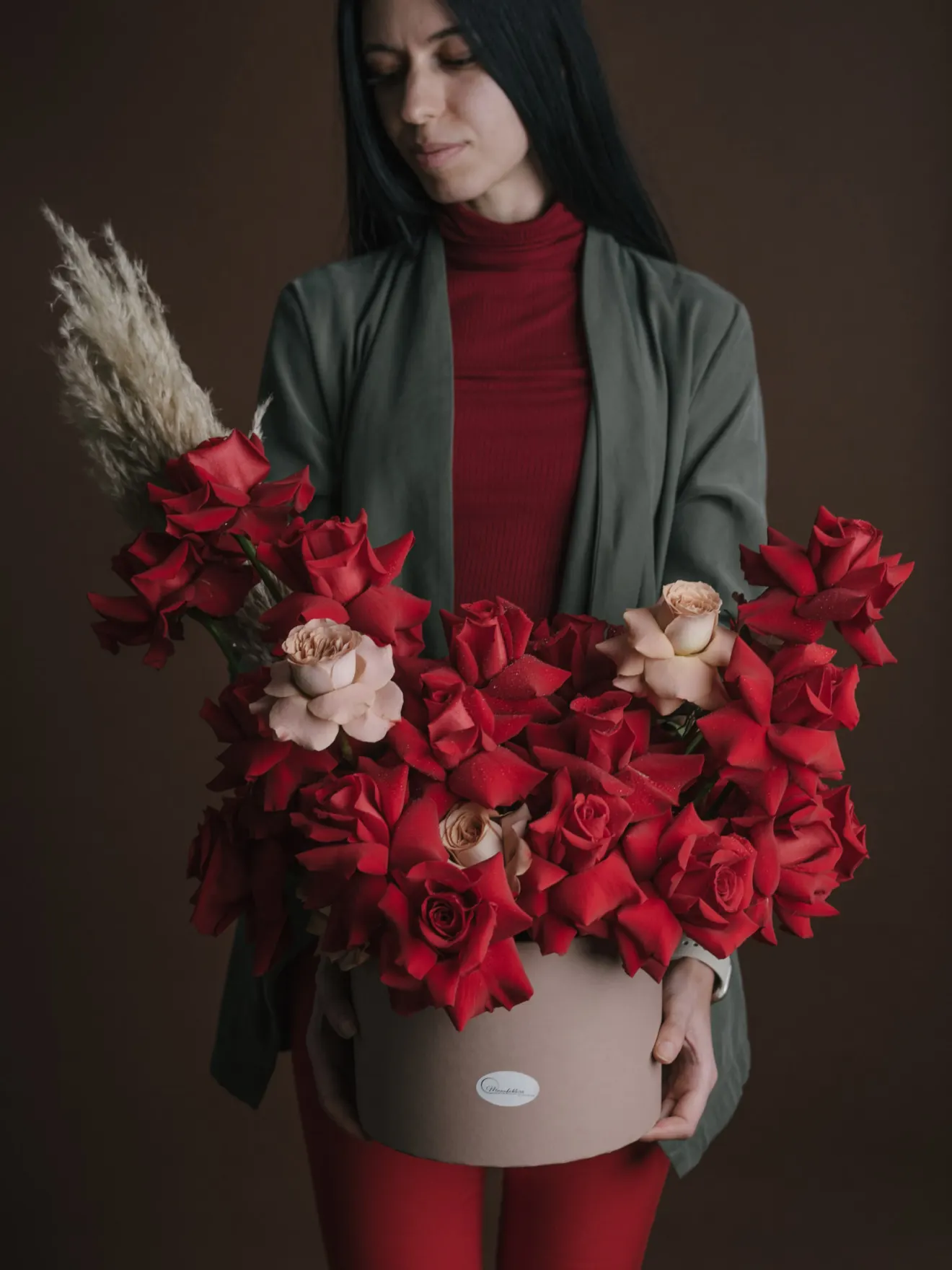
Don’t buy expensive lights. The best studio you have is your shop window. Natural light shows the true colours of the flowers, without the yellow or green cast that ceiling bulbs give them.
Put the table next to the window, but out of direct sun. Direct sun burns out white petals and throws hard shadows. You want the soft light of a slightly overcast day. If one side falls into deep shadow, stand a white sheet on the side facing away from the window to bounce a little light back onto the flowers. That’s the whole trick.
Time of day matters. Early morning and just before sunset give you the softest light. At midday, summer sun through the glass is too harsh.
How to hold your phone so it doesn’t look amateur
Mistake number one: shooting from above, standing up, with the phone tipped forward. The bouquet comes out squashed and distorted.
Crouch down. Hold the phone straight, at the height of the flowers, and move in close. Let the bouquet fill the frame. Tap the screen on the flower at the front so the phone focuses there, then drag the sun icon down slightly so the shot isn’t overexposed.
Wipe the lens with a cloth first. It sounds silly, but a lens covered in fingerprints makes every photo look hazy, and you won’t work out why.
A one-minute edit
You don’t need paid apps. The editor in your phone’s photo gallery is enough. Lift the brightness a little, then add a touch of contrast and saturation so red looks red. Crop so the frame is straight, not tilted.
That’s it. Go easy on filters: an orange rose shouldn’t end up looking like a glow-in-the-dark satsuma. The customer who sees the photo expects to receive exactly that bouquet.
Take five photos of every bouquet from different angles and keep one. In a fortnight your feed will look completely different, and you won’t have spent a thing.


